
Enlarging a phone photo
Modern phones take very good pictures, and a sharp daylight photo can make a fine A2 print or larger. The trick is getting the real file to us, not a shrunken copy.
How far will it go?
Many phones save pictures of about 12 megapixels, which is roughly 4,000 by 3,000 pixels. Some can save 48 megapixels or more in a special mode. Here is how that spreads across common sizes on the long edge.
| Print size | Long edge | 12MP (4,000 pixels) | 48MP (8,000 pixels) |
|---|---|---|---|
| A2 | 594mm | 171ppi | 342ppi |
| A1 | 841mm | 121ppi | 242ppi |
| A0 | 1189mm | 85ppi | 171ppi |
| 60in x 40in | 1524mm | 67ppi | 133ppi |
What the numbers mean for you
At A2, a good 12 megapixel picture should hold up well, even up close. A1 is usually fine on a wall. At A0, it needs a clean, sharp original and a bit of distance. Bigger than that, expect it to look soft if you stand near it.
A word of warning on big numbers. A phone's sensor is tiny, and software does a lot of the work. A 48 megapixel file holds more pixels than a 12 megapixel one, but not always four times the real detail. Look at it at 100% to see for yourself.
Getting the full file off the phone.
This matters more than anything else. Many apps quietly shrink pictures.
- Avoid messaging apps and social media. They compress images hard. A file saved from one of these has often lost most of its detail, even if it looks fine on a phone screen.
- On an iPhone, use AirDrop to a Mac, or share by email or a transfer link and choose Actual Size if asked.
- On Android, connect by cable, or upload the original through a cloud drive with its quality set to original.
- Check the size. A full-size photo is normally a few megabytes. If yours is a few hundred kilobytes, it has been shrunk.
Our page on sending large files shows how to get it to us.
Photos that won't enlarge well.
- Taken with digital zoom, which crops and stretches the picture
- Taken at night or indoors in low light, where noise and smearing show up
- Heavily cropped: if you keep half the width, you have half the pixels across
- Screenshots, which only record the size of your screen
- Filtered images that have been saved and re-saved through apps
Mind the shape
Phone pictures are usually 4:3, a little squarer than A-sizes, and 16:9 if set that way. Expect a small crop at the top and bottom or sides. Tell us what must not be cut off. For gifts and family photos, a canvas print is a kind choice, as the texture hides a little softness. If the photo really matters, send it over and we will tell you honestly how it will hold up.
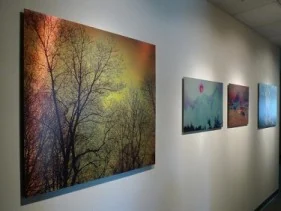
Photos at wall size.
Your questions.
Can software make my phone photo bigger?
Upscaling tools can smooth an enlargement, and some results are impressive, but they invent detail instead of recovering it. Check faces and text with care.
My iPhone photo is a HEIC file. Is that a problem?
Send it and we will check it, or export it as a JPEG at full size. The format matters less than making sure it has not been shrunk.
Can you print a photo from Facebook or Instagram?
We can look at it, but images from social media are heavily reduced. If the person who took it still has the original, ask them for it.